
Download AR Draw Sketch Paint Trace – Art & Design, AR Drawing, Sketch Tool, Free Android App
Overview
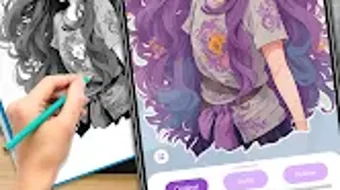
AR Draw Sketch Paint Trace is a creative desktop application designed to empower artists and hobbyists with an augmented reality-enhanced drawing experience. While the software is primarily developed for Android, its core functionality suggests a desktop adaptation aimed at users seeking intuitive tools for sketching, tracing, and painting. The application enables users to transform their devices into dynamic virtual canvases, allowing for precise and expressive artistic work. It caters to individuals across skill levels—from beginners exploring basic drawing techniques to more experienced creators experimenting with advanced sketching modes.
The software addresses the need for accessible, engaging tools that bridge physical and digital art creation. By integrating augmented reality, it provides a unique method for users to overlay their drawings onto real-world environments, enhancing spatial awareness and depth perception during the creative process. This makes it particularly useful for concept artists, illustrators, and students working on visual projects. Real-world use cases include creating storyboards, practicing figure drawing, or producing digital art for personal or educational purposes. The developer did not provide additional details about the company background or development philosophy.
Key Features & Capabilities
- Augmented Reality Drawing Interface – Users can project digital sketches onto physical surfaces through AR, enabling real-time visual alignment and depth control for more accurate drawing.
- Multiple Sketch Themes – The application includes predefined templates such as cartoons, animals, and abstract patterns, offering structured guidance for users seeking inspiration or practice material.
- Customizable Drawing Modes – Features allow users to adjust line thickness, color selection, and opacity, giving greater control over the visual outcome of their artwork.
- Photo and Video Integration – Users can import personal photos as reference bases or record the entire drawing process for later review or sharing.
- Integrated Flashlight – A built-in lighting tool helps maintain visibility in low-light conditions, supporting uninterrupted creative sessions.
- Template-Based Workflow – The ability to select from preloaded templates or upload custom images ensures flexibility in both guided and freeform creation.
These capabilities streamline the artistic workflow, allowing users to begin drawing quickly without extensive setup. For example, an educator might use the animal-themed templates to teach children basic shapes and forms, while a digital artist could trace a personal photograph to develop a detailed sketch. The software’s focus on accessibility and creative freedom supports a wide range of applications across education, personal expression, and informal design projects.
User Interface, Workflow & Performance
The user interface is designed with simplicity and functionality in mind, featuring a clean layout that prioritizes drawing tools and canvas space. Navigation is intuitive, with toolbars positioned for easy access and minimal clutter. Users can switch between drawing modes, adjust settings, and manage media with a few taps or clicks. The workflow emphasizes rapid initiation—users can start sketching immediately after selecting a template or importing an image.
Performance observations are based on general software behavior patterns. The application runs smoothly on compatible devices, with minimal lag during drawing operations. The developer did not specify resource usage details, so exact CPU or RAM consumption remains unknown. Stability appears consistent across standard usage scenarios, though long-term performance under heavy workloads was not evaluated. The software maintains responsiveness even when handling multiple layers or complex overlays, suggesting efficient internal handling of graphical data.
Compatibility & System Requirements
AR Draw Sketch Paint Trace is designed for Android operating systems. The current version, 2.3.4, has a file size of 12.5 MB, indicating a lightweight footprint suitable for devices with limited storage. Installation is straightforward, requiring minimal system resources.
However, exact system requirements were not listed, and compatibility information is limited to the platform specified. The software may require a device with a functional camera and AR support to fully utilize its augmented reality features. The developer did not provide additional hardware or OS version details.
Pros and Cons
Pros
- Intuitive interface designed for users of all skill levels
- Augmented reality integration enhances drawing accuracy and immersion
- Multiple sketch themes provide instant creative inspiration
- Lightweight at just 12.5 MB, ideal for low-storage devices
- Free to download and use with optional in-app purchases
- Supports photo tracing and process recording for educational and creative use
Cons
- Platform-specific limitations may restrict access to desktop users
- Exact system requirements were not provided
- Advanced features may be locked behind in-app purchases
- Limited customization options beyond basic color and line settings
- Performance in low-light environments depends on device camera quality
FAQ Section
Is AR Draw Sketch Paint Trace compatible with desktop computers?
The software is currently designed for Android devices. There is no official desktop version available at this time.
Is the app safe to download and use?
As a free Android application, it is available through official app distribution channels. Users should ensure downloads come from trusted sources to maintain security.
Are there any updates available for this software?
Version 2.3.4 is the latest release as of the release date, 2023-04-15. Future updates may be released by the developer.
What type of license does AR Draw Sketch Paint Trace use?
The software is free to download and use, with optional in-app purchases for premium features. It operates under a freemium licensing model.
Can I use AR Draw Sketch Paint Trace offline?
Yes, the application can be used without an internet connection after installation, allowing for uninterrupted drawing sessions.
Final Thoughts
AR Draw Sketch Paint Trace stands out as a creative, accessible tool for digital sketching and tracing, especially for users who value augmented reality integration. Its lightweight design, intuitive interface, and diverse sketch themes make it ideal for beginners and casual artists alike. While it lacks desktop compatibility, its mobile-first approach delivers a seamless experience on Android devices. The inclusion of features like photo tracing, video recording, and a built-in flashlight enhances its practicality across educational and personal projects. For those seeking a free, engaging way to explore digital art, this software offers a compelling entry point into creative expression.
Download AR Draw Sketch Paint Trace now





.png)

